Play Orchard Fruit Mahjong
Note: Orchard runs entirely in your browser — no download, no installation and no account needed. Progress is stored in the browser on this device, so it is not shared between devices or websites. The in-game interface is available in English and Simplified Chinese.
Game Introduction
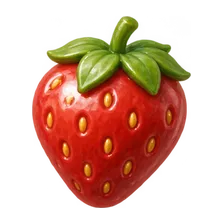
Orchard is a single-player mahjong solitaire with a fruity twist. Strawberry, banana, grapes and seven more patterns sit on warm porcelain tiles, stacked in layers across the board. Find two identical tiles that are both free to take, remove them, and keep opening up the space you need. Twenty layouts grow steadily larger and deeper, and under the pile of tiles a picture is waiting to be uncovered.
This is a matching game about what is accessible, not about drawing paths. Two tiles can be paired even when they sit far apart on the board, as long as both of them are free. There is no clock and no opponent, which makes it a good game to sit down with for ten quiet minutes.
Platforms and Device Requirements
- Browser: any current version of Chrome, Edge, Safari or Firefox. Nothing has to be installed.
- Controls: click or tap a tile and then click or tap its twin. Mouse and touch work equally well.
- Devices: works on desktop computers and on mobile phones in portrait or landscape orientation.
- Language: the in-game interface is available in English and Simplified Chinese.
Basic Gameplay Guide
Which tiles you can take
A tile can be selected when nothing sits on top of it and at least one of its left or right sides is open. Both tiles of a pair must satisfy this. Tiles that are covered, or that are blocked on both sides, stay on the board until you clear what is around them.
Matching and clearing
Click one free tile, then click another free tile with the same pattern; the pair disappears and the tiles below them become available. You do not need to move a tile along a path, and the two tiles do not have to be adjacent. A level is finished when the whole board is empty, and that unlocks the next layout.
Hint, undo and shuffle
When you cannot spot a pair, the hint button highlights two tiles that can be removed together. Undo puts back the last pair you removed, and shuffle rearranges the remaining tiles when you are completely stuck. All three are available from the start — there is nothing to unlock or pay for.
Levels and Patterns
Orchard currently has 20 levels. The first five are small introductions; from the sixth on, the stacks become taller and deeper, up to 144 tiles over six layers, and the choice of which pair to remove first starts to matter a great deal. Between the harder stretches, a few gentler layouts are placed to give you some breathing room.
There are eight fruit patterns: strawberry, banana, grapes, watermelon, orange, pineapple, cherries and pear. Beneath the tiles there is also a picture, and it is revealed gradually as you clear the board — after finishing a level you can look at the full image. The first five levels currently use one street-style photo each and later levels cycle through that same set, so not every level has its own unique picture.
Advanced Tips
Always work from the top layers down
The tiles on the top of the stack are the ones with the most open sides, and removing them frees the tiles underneath. Start at the highest layer and work down instead of hunting for a pair across the whole board.
Prefer tiles with a free side over free tops
Two tiles that are both on top but completely surrounded on their left and right cannot be taken yet. Look for tiles with one open flank — those are the ones that actually move the game forward.
Save the last pair of each pattern
If two tiles of the same fruit are left but one of them is blocked, keep them in mind. Clearing the tiles around the blocked one is often cheaper than reshuffling.
Common Questions
The game does not load?
Click the cover image above to start. The first load pulls the game files, so give it a second or two on a slow connection. If nothing happens, reload the page.
Is my progress saved?
Your unlocked levels are saved automatically, so you can close the tab and come back to the next layout. The board in front of you is not saved step by step: refreshing restarts the level you were on, but your unlocks stay. The save lives in this browser on this device only.
Are there hints or an undo button?
Yes, both are available from the beginning. The hint highlights a removable pair, undo restores the last pair you removed, and shuffle rearranges the remaining tiles.
Is this real mahjong or a multiplayer game?
No. Orchard is a single-player matching game in the mahjong solitaire tradition. There is no drawing tiles, no discarding, no winning hand and no betting — just you and the board.
Do the pictures matter for the score?
No. The picture under the tiles is a reward for finishing the level, not a collectible item. Nothing in the game can be spent, traded or exchanged.
Conclusion
Orchard is the mahjong solitaire for anyone who wants to clear their head as much as the board. The rules are short — two free tiles with the same pattern, that is all — and the difficulty comes from the layers, not from hidden mechanics. Use the hint when you are stuck, undo when you regret a pair, and take your time: there is no timer to beat.